
Install the program
KIplatz is a program for Windows that you get as a ZIP file. It runs on your PC in a few minutes, without administrator rights and without an account with a big corporation.
What you need
You need Windows 11. How much your PC does by itself depends on its hardware.
| You want to | Your PC needs |
|---|---|
| Ask questions | 4 GB of memory or more; if it is busy, a free PC of the community answers |
| Prepare knowledge | a simple processor and 6 GB of memory |
| Answer by itself, even without internet | a graphics card with 6 GB of graphics memory or more and 16 GB of memory |
Good to know
On a Mac, on Linux or on a phone you ask through the app in the browser. How that works is described under Ask on your phone.
Download and unpack
- Open the page Share computing and download the ZIP, about 28 MB.
- Unpack the ZIP into a folder of your choice.
- In the unpacked folder, double-click “KIplatz” to start it. Windows does not ask for anything.
The program sets itself up in your user folder and puts a shortcut on the desktop and in the Start menu. You can delete the unpacked folder afterwards.
Tip
If you want to be sure, compare the checksum: it is on the download page in the file CommunityAI.zip.sha256, and the build number in bau.txt.
The first start
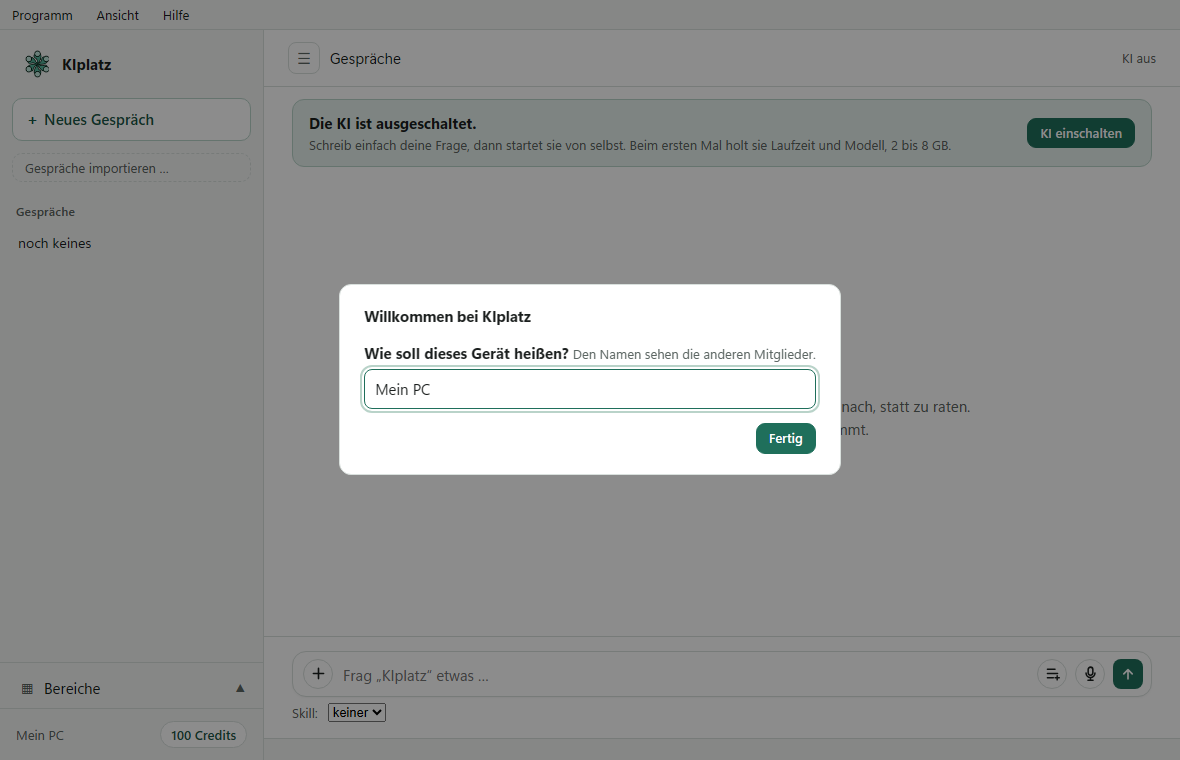
- A window welcomes you and asks: “Wie soll dieses Gerät heißen?” (what should this device be called). Enter a name of at most 24 characters and click “Fertig” (done).
- Read the short note and click “Los geht’s” (let’s go).
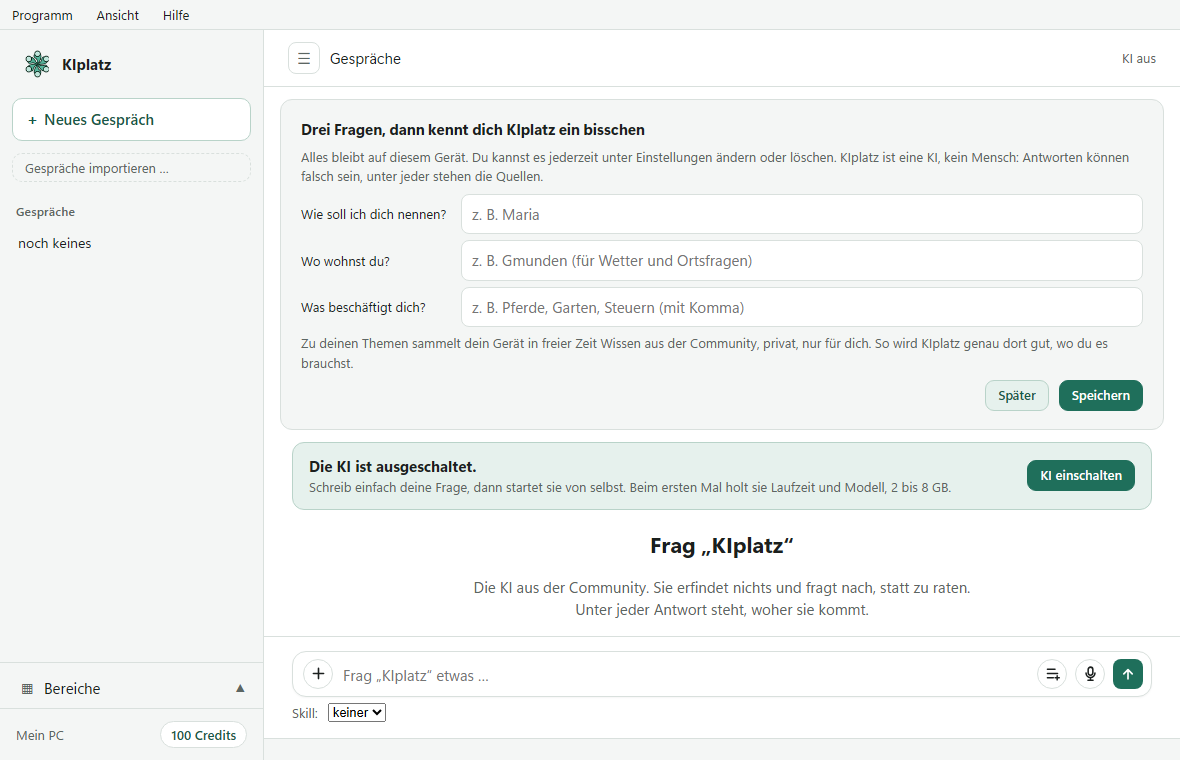
- Above the conversation there are 3 questions: what you want to be called, where you live and what you mainly need KIplatz for (tap to choose). Fill them in and click “Speichern” (save), or “Später” (later). You can change everything under My AI.
The first time, KIplatz also fetches the AI. That takes a few minutes, and depending on your graphics card it is 2 to 8 GB. If your PC is too weak for that, a free PC of the community answers your questions.
Careful
The other members can see the device name, for example in the leaderboard. So do not use your full name. The 3 answers about you stay on your PC.
Closing the window and quitting
The X only hides the window, KIplatz keeps running next to the clock. To quit completely, use the menu “Programm” (program) and “KIplatz beenden” (quit KIplatz). During setup, starting with Windows is switched on. You can turn it off in the same menu with “Beim Anmelden automatisch starten: ein/aus” (start automatically at sign-in: on/off).
It fetches updates by itself, checks the signature and then shows you “Neu in dieser Version” (new in this version).
Go on from here
- Your first question: Your first question
- From your phone to the files on this PC: get your files from anywhere
- How much your PC may do for others: Set limits
- One account for every place in the community: Create an account and sign in