
What your PC does
KIplatz is an AI whose computing power comes from the members' PCs. This page shows what yours does for the others and how you can stop it at any time.
The jobs in detail
When the page “Rechenkraft teilen” (share computing) is switched on, your PC asks the community server for work. Every job is done in minutes. What is running right now is shown in one line at the top of the same page.
| Job | What happens |
|---|---|
| Prepare | New sections of the shared knowledge are prepared so that the search can find them. A processor and 6 GB of memory are enough for this. |
| Deepen | Questions and answers are created for a section, which help faster later. This needs a graphics card. |
| Check | Another PC reviews the work before it counts. |
| Warm up | In the morning, a free PC fetches the weather and headlines for everyone. |
| Answer | It answers questions from other members, for example from a phone, without seeing who is asking. This needs a graphics card with 6 GB or more. |
| Hold knowledge | Slices of the shared knowledge are stored on the hard drive, each one three times in the network and with a checksum. |
Good to know
Part of every job goes to a second PC as well. If the results differ, both are discarded. That way there are no credits for made-up work.
Your own question comes first
As soon as you ask something yourself, your PC stops the work for the community. Half a minute after your answer, it carries on, so that your second and third question are quick too.
Stopping with Pause and Stop
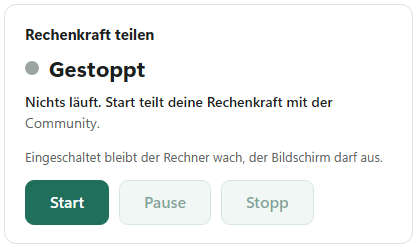
- On the left, open the page “Rechenkraft teilen” (share computing).
- Click “Pause” if you only want to stop the work for a moment. “Start” gets it going again.
- Click “Stopp” (stop) if nothing should run any more. A job that has been started then goes to another PC.
While it is switched on, the PC stays awake, but the screen may still turn off. If you close the window with the X, the program keeps running down by the clock. It is only really off with “KIplatz beenden” (quit KIplatz) in the menu “Programm” (program).
When your PC waits on its own
- On battery: a notebook does not work for others as long as it is not plugged in. Plug it in and it carries on by itself.
- While you work: with the setting “Nur wenn ich gerade nicht am Rechner bin” (only when I am not at the computer), it waits until you have used neither keyboard nor mouse for 2 minutes.
- In the heat: if the graphics card shows 85 °C or more, it pauses for 60 seconds and then measures again. The window tells you.
- At the kill switch: if we stop the whole community, nobody gets jobs any more. Your program shows the reason and answers your questions itself.
How to set these limits is under Set limits.
The daily balance
Under “Meine Community” (my community), the card “Heute” (today) shows what your PC has done and what the whole network has achieved together. When you open it, the program tells you once a day what happened while you were away. For every finished job there are credits, explained under Credits.
Tip
How warm the community's graphics cards get when answering and how much power they use is shown in the statistics, as soon as graphics cards can measure it.